As a Master Trader on Bybit, you can share a ratio of the net profit earned by each of your Followers. Conversely, as a Follower, you need to share a ratio of your position profit with your Master Trader.
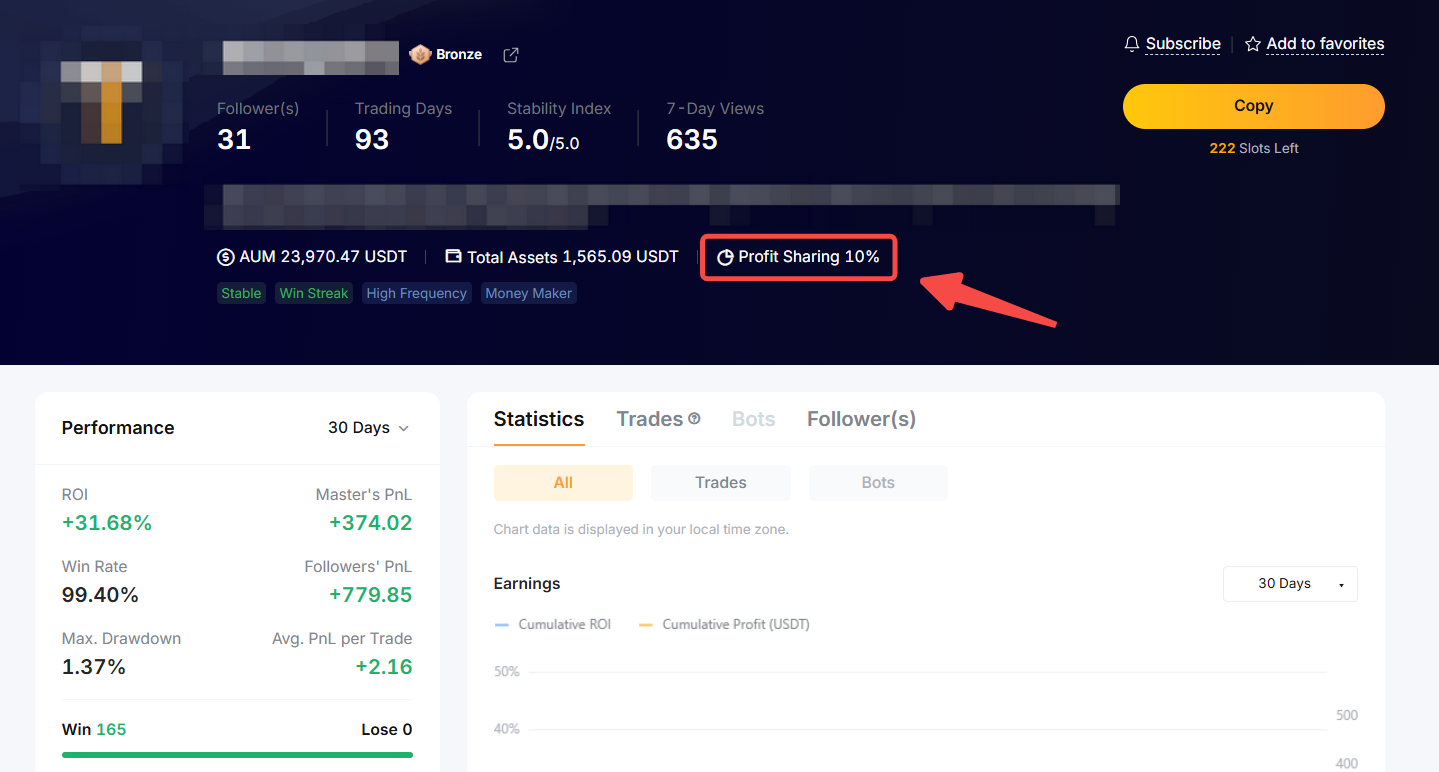
The profit sharing ratio varies based on the rank of the Master Trader, mainly in Cadet, Bronze, Silver and Gold.
Master Traders can check their profit sharing ratio from their Master Trader Rank page while Followers can view the profit sharing ratio of the Master Trader from the Master Trader Profile.
Profit Sharing Rules
Before starting your Copy Trading, please note the following rules:
1. The system calculates the net P&L made by Followers on a daily basis, offsetting the profit and loss amount over the settlement cycle. The system pre-deducts the profit sharing ratio of the daily profit earned in advance. On settlement day, if the actual profit share amount is lower than the pre-deducted profit from the copy trade orders, the excess amount will be returned to the Follower’s Funding Account, and the profit share amount will be credited to the Master Trader’s Funding Account.
2. The settlement cycle runs from 12AM (midnight) UTC on Saturdays to 11:59:59PM UTC on Fridays. Ten percent of the overall net profit will be distributed to the Master Trader’s account on the settlement day, which occurs at 3AM UTC every Monday.
3. For USDT Perpetual trades opened on the same day, the Followers' profit will be pre-deducted and held pending distribution to the Master Trader on the settlement day, once the Perpetual trades are closed or terminated. However, the profit share will only be distributed to the Master Trader if all the Perpetual trades opened on the same day are closed.
4. Master Traders can share the net profit earned by their Followers only when the total net P&L of the Follower's closed positions are profitable during the settlement period. If there’s a net loss in the total P&L, the pre-deducted profit share will be refunded to the Follower on the settlement day.
Settlement Time
Settlement Time: 3AM UTC on Mondays
Profit Calculation Period: 12AM (midnight) UTC on Saturday to 11:59:59PM UTC on Friday
Formula
Net Profit = Position P&L − Fee to Open − Fee to Close
Example (Using a 10% Profit Sharing Ratio as Illustration)
Follower A follows Master Trader B and copies the trades below. Let’s take a look at how Follower A’s positions are reflected in the profit sharing. Assuming the position P&L stated below does not include fees:
Scenario 1: Perpetual trades opened on the same day fully closed.
Scenario 2: Perpetual trades open on the same day and not fully closed.
For more information, please refer to FAQ — Copy Trading.
How to View Your Profit Share
Definition of Realized and Unrealized Profit Share
- Realized Profit Share: This shows the profit share that has been settled and distributed to the Master Trader’s Funding Account.
- Unrealized Profit Share: This reflects the unrealized profit share yet to be settled. However, this amount does not represent your actual profit share to be settled on the upcoming settlement day. The unrealized profit-sharing figure is subject to change for various reasons, such as the need for refunds to followers in case the net P&L shows losses or if some trades opened on the same day remain unclosed.
For Master Traders
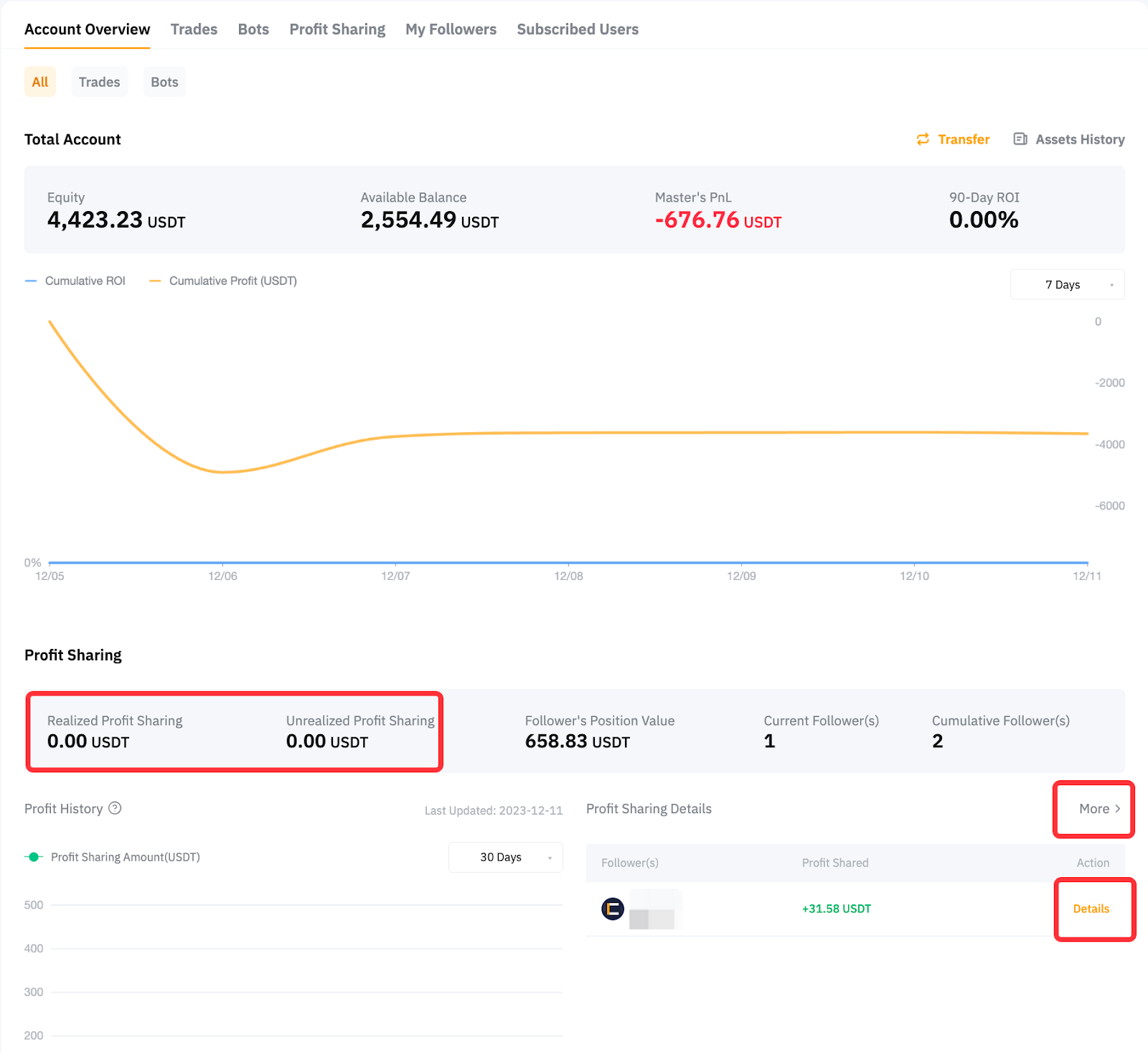
Please head to the User Center (Master Trader) → Account Overview → Profit Sharing to view your profit shared.
Profit Sharing Details: Click on Details beside your Followers and you will be able to see the profit sharing details from USDT Perpetual trades.
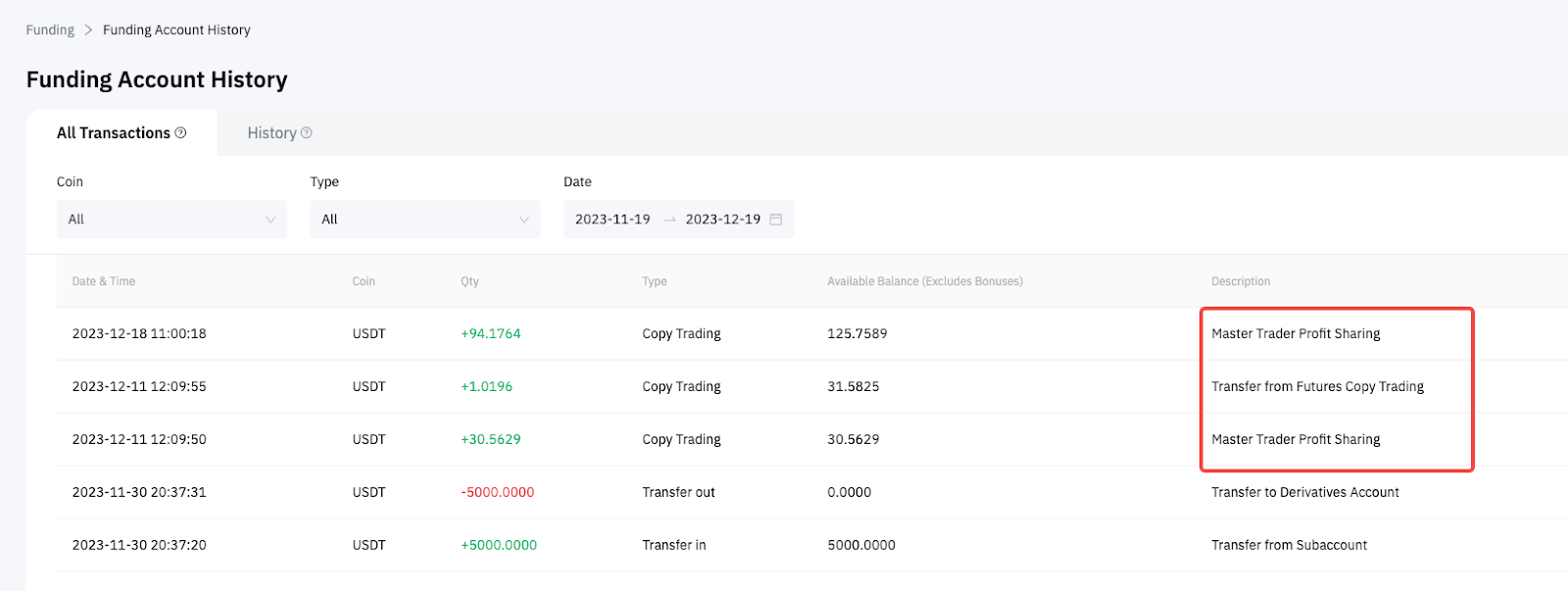
You can view the profit share distribution record from Funding Account History.
For Followers
Please head to the User Center (Follower) and you will be able to see your Realized and Unrealized Profit Share for USDT Perpetual trades.
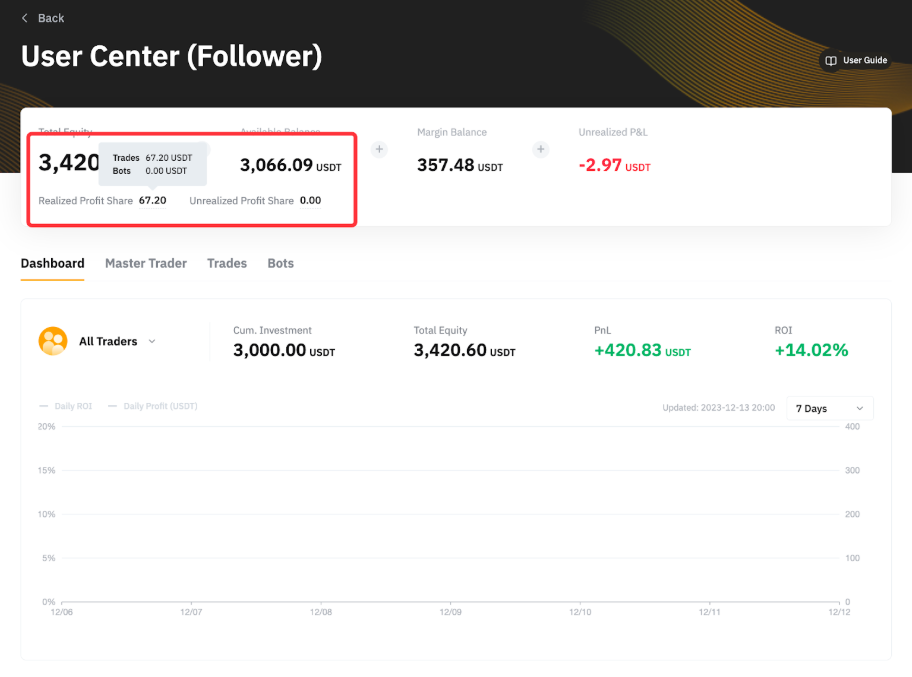
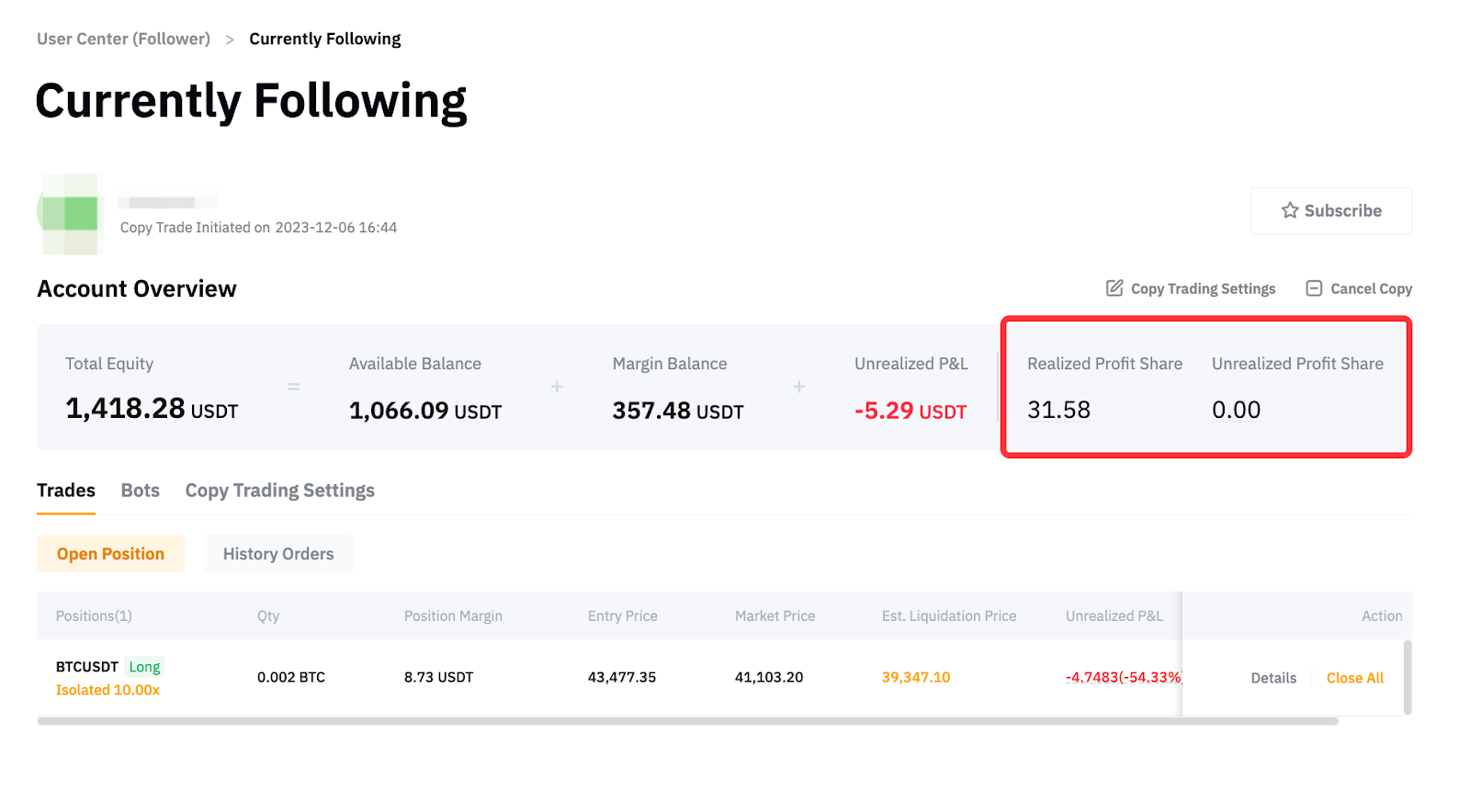
If you want to view the profit share under each Master Trader, click on the Details of the respective Master Trader, and you can see it from the Account Overview.
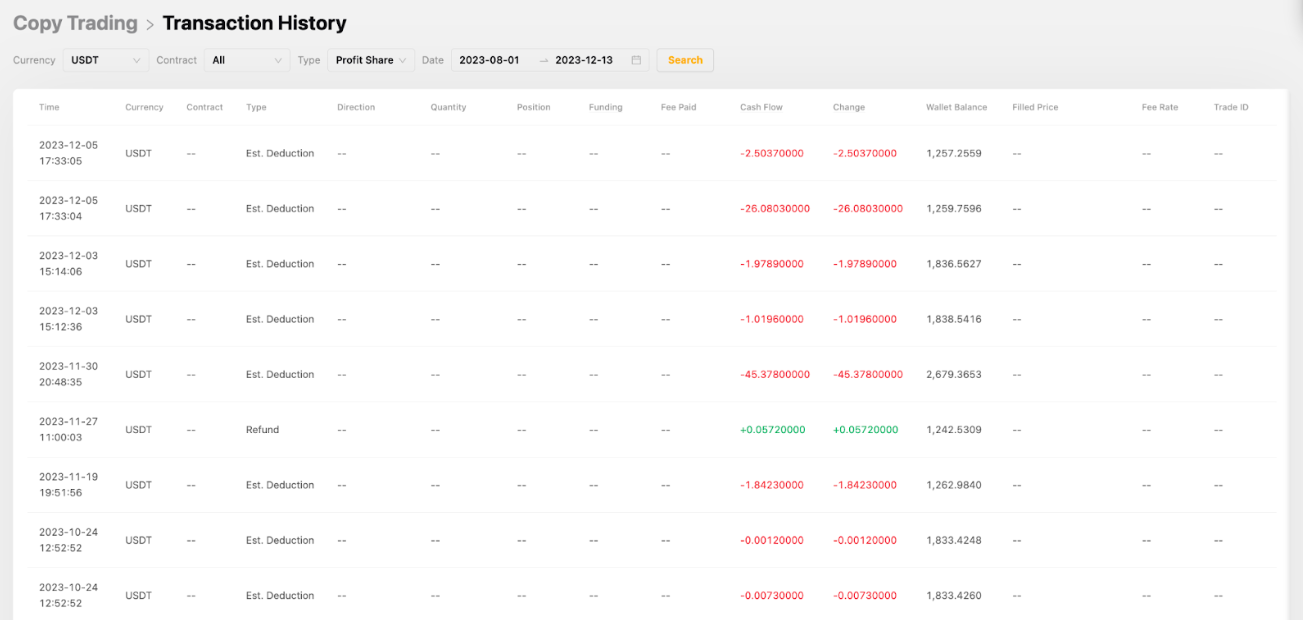
You can see the deduction record and refund from the Copy Trading Transaction History page.